Documentation
Security model
Glimpse BI is powerful for admins and locked down for everyone else: read-only SQL, a capability gate, bound parameters, query timeouts, and an opt-in table allowlist.
Step by step
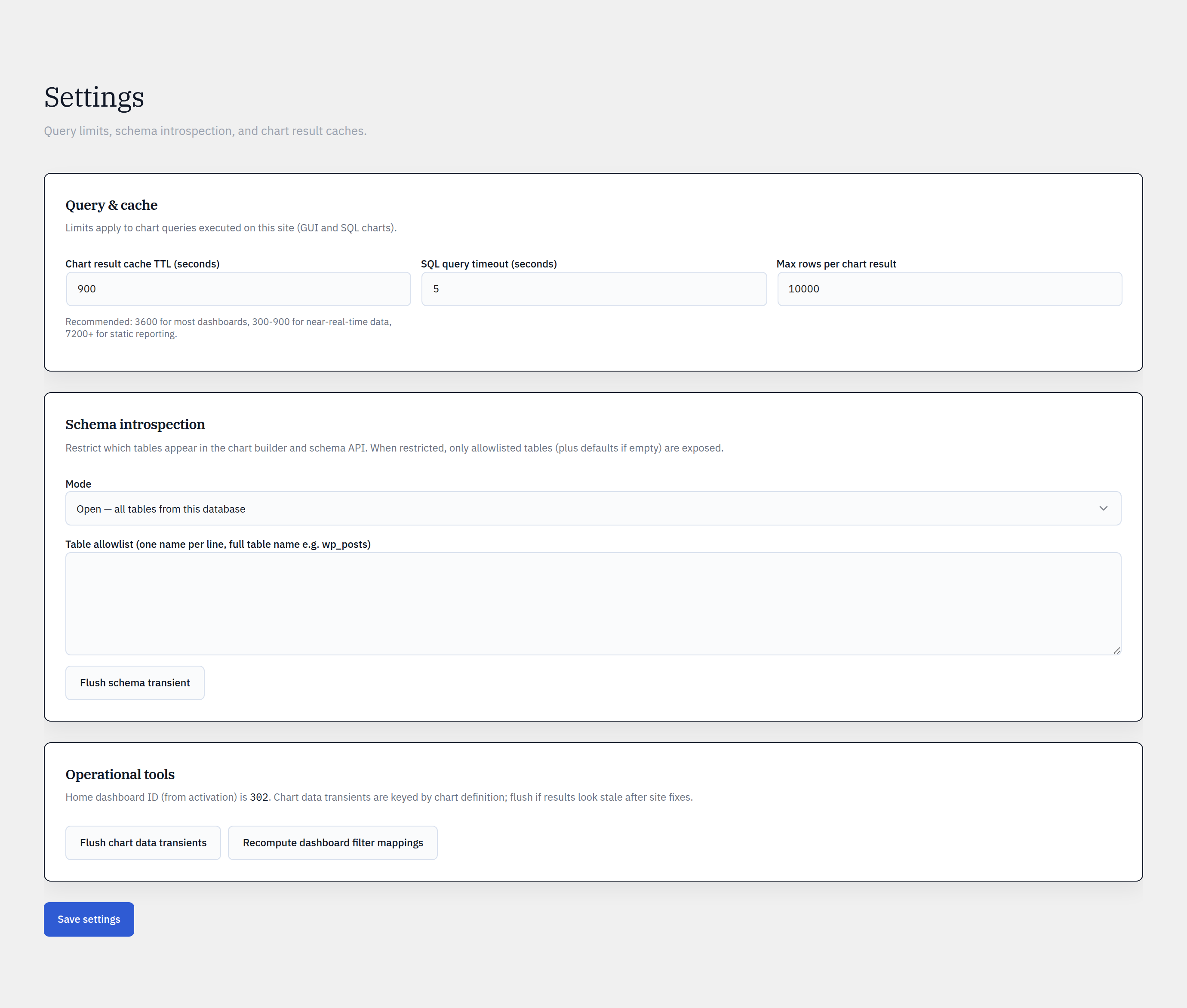
- 1Confirm only trusted roles have the Glimpse BI capability (manage_options by default).
- 2For shared installs, set Schema mode to Allowlist and list only the tables that may be charted.
- 3Keep SQL mode restricted to admins (the use_sql_mode capability) unless a Pro Editor explicitly needs it.
- 4Set conservative Query timeout and Max rows in Settings.
- 5Review active embed tokens periodically and revoke any you no longer need.
Defense in depth
SQL is validated read-only by a real parser (not a regex): only SELECT / WITH … SELECT run, and writes, file access, sleeps, and multi-statements are rejected. Every filter value is bound via wpdb->prepare, queries run under a timeout, and results are row-capped.
Your data stays put
The free plugin contacts no external service — nothing is sent off-site, there is no phone-home tracking, and all assets are bundled locally. Public embeds are gated by signed tokens with per-token and per-IP rate limits.
Reference
Bring your WordPress data into focus.
Install the free plugin and build your first chart in minutes. Upgrade to Pro when you outgrow the caps.